How to Build a SaaS with Cursor, Claude, and AI Coding Tools in 2026
AI coding tools have changed the game for building SaaS products. In 2026, a solo developer with Cursor, Claude Code, or GitHub Copilot can ship in weeks what used to take a small team months. That is real. That is not hype.
But here is what nobody tells you: AI coding tools have not replaced thinking. They have replaced typing. The founders who are actually shipping successful SaaS products with AI are not the ones who let the AI drive. They are the ones who show up with a validated idea, a clear architecture, and a plan — and then use AI to execute 3x faster.
The founders who skip the thinking part? They end up with what the industry now calls "vibe-coded" products — apps that look great in a demo but break in four predictable ways the moment real users show up. We have seen this pattern play out across thousands of projects.
This guide is the practical middle ground. We will cover which AI tools actually matter in 2026, what they are good and bad at, the right workflow for building a SaaS with AI assistance, and the step-by-step process that lets you ship fast without shipping garbage.
Table of Contents
Before you build anything, validate the idea. BigIdeasDB tracks 49,000+ real user complaints so you can find problems worth solving — before you write a single prompt.
The AI Coding Tool Landscape in 2026
The AI coding tool market has matured significantly. In 2024, it was Copilot and a handful of experiments. In 2026, there are real categories with real differences. Here is what matters for SaaS builders:
Cursor
Cursor is the most popular AI-powered code editor for SaaS development right now. It is a fork of VS Code with deep AI integration — it reads your entire codebase, understands file relationships, and generates code that actually fits your project. The Composer feature lets you describe changes across multiple files in natural language. For SaaS builders, Cursor's strength is that it understands context. When you ask it to "add Stripe subscription billing," it looks at your existing auth system, database schema, and API routes to generate code that plugs in correctly. It is not perfect, but it is dramatically better than copy-pasting from ChatGPT.
Claude Code
Claude Code is Anthropic's terminal-based AI coding agent. Where Cursor lives in your editor, Claude Code lives in your terminal and can read, write, and execute code across your entire project. It excels at complex reasoning tasks — architecture planning, multi-file refactors, debugging tricky issues, and writing comprehensive tests. For SaaS development, Claude Code is strongest when you need to think through a hard problem. Ask it to design your database schema, plan your API structure, or refactor a messy module, and it will produce well-reasoned output that considers edge cases. It is less about speed and more about depth. For 25 founder workflows beyond coding, see Claude Code for founders.
GitHub Copilot
Copilot is still the most widely used AI coding tool by install count. In 2026, it has evolved well beyond autocomplete — Copilot Chat, Copilot Workspace, and the agent mode make it a genuine development partner. For SaaS builders, Copilot is best as a complement. Its inline suggestions are fast and surprisingly accurate for common patterns. It is weaker than Cursor at multi-file changes and weaker than Claude Code at complex reasoning, but it is free with GitHub Pro and integrates seamlessly with VS Code.
Windsurf and Bolt
Windsurf (formerly Codeium) offers a Cursor-like experience with its own AI models and a focus on speed. Bolt is a browser-based AI coding tool that generates full-stack apps from a prompt — useful for rapid prototyping but risky for production SaaS. Both have their place, but for serious SaaS development, Cursor and Claude Code are the tools that experienced builders reach for most often.
What AI Coding Tools Are Good At
Knowing where AI tools shine is critical. Use them for the right tasks and you will move 3-5x faster. Use them for the wrong tasks and you will spend more time debugging than you saved. Here is what AI coding tools genuinely excel at in 2026:
Boilerplate and Scaffolding
Setting up a Next.js project with auth, database connections, API routes, and Stripe integration used to take a full day of Googling docs and wiring things together. With Cursor or Claude Code, you can describe your stack and get a working scaffold in 20 minutes. This is where AI saves the most time — the boring, well-documented setup work that every SaaS project needs. If you would rather not scaffold from zero on every project, starting from one of the best Next.js SaaS boilerplates gives the AI a clean, production-ready foundation to build on instead of generating auth and Stripe wiring from scratch.
CRUD Operations
Create, Read, Update, Delete. The bread and butter of every SaaS. AI tools can generate API routes, database queries, form handling, and validation for CRUD operations almost perfectly. If you have a clear data model, AI will build the endpoints and the UI to interact with them faster than you can type it yourself.
UI Components and Styling
AI tools with Tailwind CSS are remarkably effective. Describe a dashboard layout, a pricing page, a settings panel, or a data table — and you will get a polished component that looks good and is responsive. Combined with component libraries like shadcn/ui, AI can generate production-quality UI faster than most frontend developers can from scratch.
Tests and Documentation
Writing tests is tedious. Writing docs is worse. AI tools are excellent at both. Point Claude Code at a module and ask for comprehensive tests — it will generate unit tests, edge case tests, and integration tests that actually cover the important paths. Same for documentation: feed it a codebase and it produces clear, accurate docs. These are the tasks where AI's tirelessness is a genuine advantage.
What AI Coding Tools Are Bad At
This is the section most AI coding tutorials leave out. Understanding these limitations will save you weeks of frustration and prevent you from building a product that breaks in the four predictable ways we see over and over.
Architecture and System Design
AI tools will happily generate code for whatever architecture you ask for — even if that architecture is fundamentally wrong for your use case. Ask Cursor to build a real-time collaborative editor with a REST API and a relational database, and it will do it. The code will work for one user. It will fall apart at ten. AI does not push back on bad decisions. It does not say "actually, you need WebSockets and a CRDT library for this." It just builds what you ask for. Architecture is still your job.
Security
AI-generated auth is the single biggest liability in vibe-coded products. The AI will set up NextAuth or Supabase Auth and call it done. It will not add row-level security. It will not implement proper RBAC. It will not add rate limiting to your API routes. It will not think about CSRF protection or session invalidation. Every developer who fixes vibe-coded projects reports that auth is always the first thing that needs to be rebuilt.
Database Design
AI tools default to the simplest schema that satisfies your prompt. That means one big table with 30 columns, no indexes, no foreign keys, and no thought about query performance at scale. Your app will work fine with 10 users. At 100, queries start slowing down. At 1,000, your hosting bill doubles because every request scans the entire table. Database schema design requires understanding your access patterns, your growth projections, and your business logic. AI cannot do that for you.
Business Logic and Edge Cases
What happens when a user downgrades from Pro to Free mid-billing-cycle? What if a webhook fires twice? What if a user deletes their account but has active subscriptions? These are the edge cases that break real SaaS products, and AI tools do not think about them unless you explicitly prompt for each one. The successful AI-assisted builders are the ones who maintain a running list of edge cases and systematically prompt the AI to handle each one.
The Right Workflow: Think First, Code with AI Second
The founders who ship successful SaaS products with AI tools follow a consistent workflow. It is not complicated, but it is the opposite of vibe coding. Here is the pattern:
Step 1: Validate the Idea First
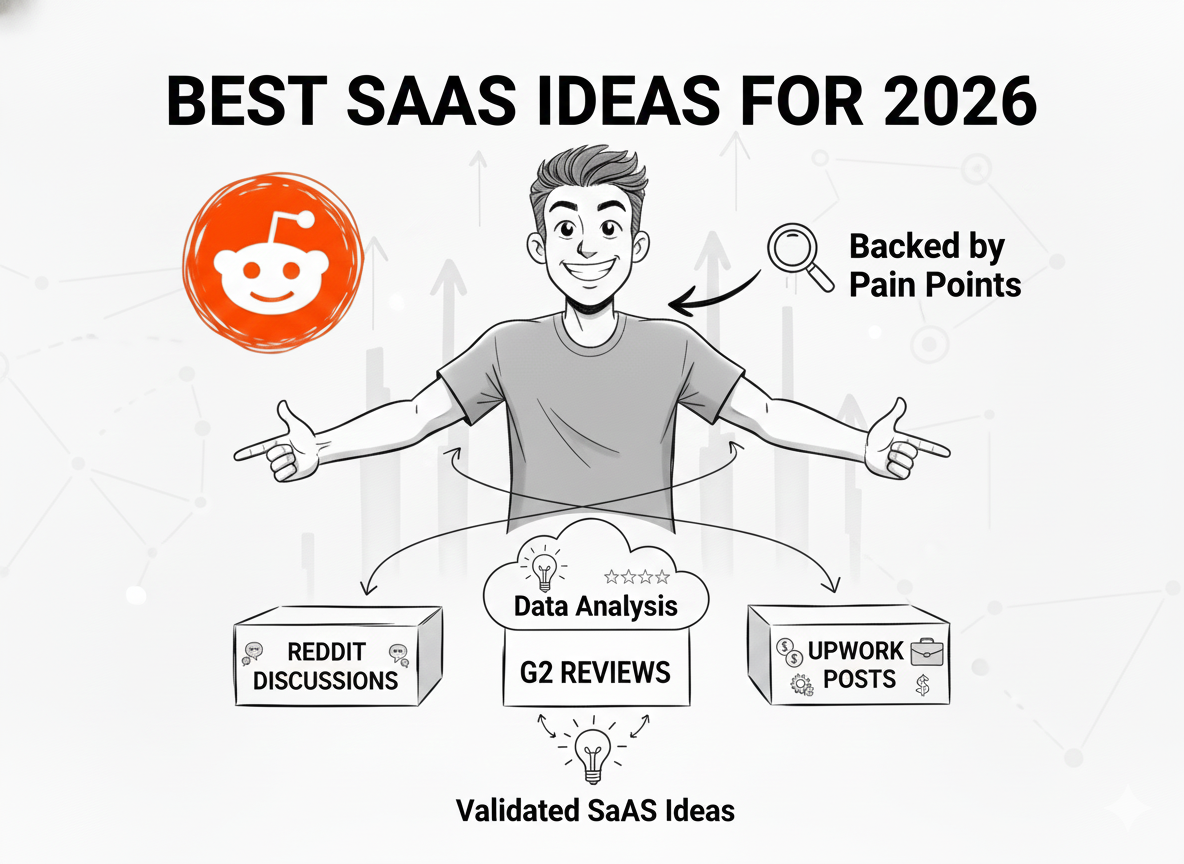
AI makes building so fast that the biggest risk is no longer "can I build this?" — it is "should I build this?" Before you open Cursor, before you write a single prompt, validate that real people have the problem you are solving and will pay for a solution. BigIdeasDB tracks 49,000+ real user complaints across thousands of software products — use that data, or use Reddit, or use customer interviews. Just do not skip this step. We have a full guide on simple SaaS ideas that are actually validated if you need a starting point.
Step 2: Design the Architecture Yourself
Before any AI touches your code, you need to decide: What is your tech stack? What are your core database models? What are your API routes? How does auth work? What third-party services do you need? You can use Claude Code to help you think through these decisions — it is excellent at architecture discussions. But the decisions are yours. Write them down in a simple document. This is your spec. Every prompt you write to the AI will reference this spec. If you skip this step, you will end up with an AI-designed architecture that works for a demo but not for a product. Many builders map this out visually before writing a line of the spec — if a generic whiteboard tool does not fit how developers actually plan, it is worth seeing this Whimsical alternative built specifically for developers.
Step 3: Use AI for Implementation
Now you code. With your spec in hand, use Cursor or Claude Code to implement each piece. The key is specificity: instead of "build me a billing system," prompt with "create a Stripe subscription webhook handler that processes checkout.session.completed, customer.subscription.updated, and customer.subscription.deleted events, with idempotency keys stored in the payments table, retry logic for failed processing, and proper error logging." Specific prompts produce production-quality code. Vague prompts produce demo-quality code.
Step-by-Step: Building a SaaS with AI
Here is the concrete process, from zero to shipped product, that works with AI coding tools in 2026.
Picking the Right Stack
Choose a stack that AI tools know well. The quality of AI-generated code depends directly on how much training data exists for your chosen framework. In 2026, the sweet spot for AI-assisted SaaS development is:
- -Frontend: Next.js with React and Tailwind CSS. The most AI-supported stack by far.
- -Database: PostgreSQL via Supabase or a managed provider. AI tools generate better SQL than ORM code.
- -Auth: NextAuth.js or Supabase Auth. Both have extensive AI training data.
- -Payments: Stripe. Every AI tool generates excellent Stripe integration code.
- -Hosting: Vercel. One-click deploys with built-in CI/CD — eliminates the deployment problems that plague vibe-coded products.
Avoid niche frameworks, bleeding-edge libraries, or anything released in the last six months. AI tools hallucinate APIs for libraries they do not know well, and you will spend more time debugging fake function calls than you save. If you are a no-code founder exploring SaaS ideas, check out our guide on no-code SaaS ideas for 2026 for alternatives that do not require coding at all.
Prompting Effectively
The difference between a useful AI-generated component and a broken one is almost always the prompt. Here are the prompting patterns that produce production-quality code:
Be specific about requirements. "Build a dashboard" gives you a generic template. "Build a dashboard that shows MRR, churn rate, active users, and trial conversions using Recharts, with data fetched from /api/metrics via SWR, responsive for mobile, with a date range picker that defaults to the last 30 days" gives you something you can actually ship.
Include constraints. Tell the AI what NOT to do. "Do not use any external state management library — use React context and local state only." "Do not fetch data on the client — use server components for all data loading." Constraints prevent the AI from introducing unnecessary complexity.
Reference your existing code. In Cursor, use @file references to point the AI at your existing patterns. "Follow the same pattern used in @api/users/route.ts for this new endpoint." This produces consistent code that matches your codebase instead of a random Stack Overflow answer.
Handle errors explicitly. Always include "add proper error handling" in your prompts. Without it, AI tools generate the happy path and nothing else. Your webhook handler will process successful events perfectly and crash silently on failures.
Reviewing AI-Generated Code
This is where most vibe coders fail. They accept what the AI generates and move on. You need to review every generated file with the same rigor you would review a junior developer's pull request. Here is a checklist:
- ✓Does every API route check authentication and authorization?
- ✓Are database queries using indexes? Are there any SELECT * calls?
- ✓Is there error handling for every external API call?
- ✓Are environment variables used for all secrets? Nothing hardcoded?
- ✓Does the code handle the edge cases you listed in your spec?
- ✓Are there any packages imported that you did not ask for?
Spend 10 minutes reviewing for every 30 minutes of AI-assisted coding. That ratio keeps quality high without killing your speed advantage.
Avoiding the Vibe Coding Trap
The line between "AI-assisted development" and "vibe coding" is thinner than you think. Here are the warning signs that you have crossed it:
- ✗You cannot explain how your auth system works without looking at the code
- ✗You have never looked at your database schema directly
- ✗Your project has packages in package.json that you do not recognize
- ✗You resolve bugs by asking the AI to "fix this error" without understanding what caused it
- ✗You deploy to production by pushing to main with no staging environment
- ✗You have no tests at all — not even for your payment flow
If three or more of those apply, you are vibe coding. The fix is not to stop using AI — it is to slow down and start understanding what the AI is generating. Read through our deep dive on the four most common vibe coding problems and how to fix them for specific steps.
The best AI-assisted SaaS builders we have seen follow a simple rule: if you cannot review it, do not ship it. They use AI to write code faster, but they understand every line that goes into production. That is the difference between building a SaaS with AI and hoping a SaaS emerges from prompts.
If you are already in too deep with a vibe-coded project, it is not too late. You do not need a full rewrite — you need a targeted stabilization. Our guide on hiring a developer to fix your vibe-coded project walks through exactly what that looks like and what it costs.
Looking for a SaaS idea you can build this weekend? BigIdeasDB surfaces validated problems from 49,000+ real user complaints — find your next project in minutes.
Frequently Asked Questions
Can I build a production SaaS entirely with AI coding tools like Cursor and Claude?
You can build a production SaaS using AI coding tools, but not entirely on autopilot. AI tools like Cursor and Claude are excellent at generating boilerplate, CRUD operations, UI components, and tests. However, you still need to design the architecture, handle security, plan your database schema, and make product decisions yourself. The founders who ship successfully use AI for 60-70% of the implementation work while doing the thinking and architecture themselves.
What is the best AI coding tool for building a SaaS in 2026?
There is no single best tool — the most effective approach combines multiple tools. Cursor is best for in-editor AI assistance with full codebase context. Claude Code excels at complex reasoning, architecture planning, and multi-file refactors from the terminal. GitHub Copilot is solid for inline completions. Most successful SaaS builders use Cursor or Claude Code as their primary tool and supplement with others depending on the task.
How long does it take to build a SaaS with AI coding tools?
With AI coding tools, a solo developer can ship an MVP in 2-4 weeks that would have previously taken 2-3 months. However, this only applies if you have a validated idea and a clear architecture plan before you start coding. Without those, AI tools just help you build the wrong thing faster. The time savings come from accelerating implementation, not from skipping planning. Start with our micro SaaS guide to get the planning right.
What is the difference between vibe coding and using AI tools properly?
Vibe coding means prompting an AI to build your entire product without understanding what it generates — accepting whatever code comes out and moving on. Using AI tools properly means you design the architecture, write clear specifications, review every generated file, and understand every line that ships. The difference is whether you are directing the AI or the AI is directing you. Vibe coding leads to products that break at scale; proper AI-assisted development leads to products that are built faster but still maintainable.
What tech stack should I use when building a SaaS with AI coding tools?
Choose a stack that AI tools know well, because the quality of AI-generated code depends heavily on training data coverage. Next.js with React, Tailwind CSS, Supabase or PostgreSQL, and Stripe is the most well-supported stack across Cursor, Claude, and Copilot. Python with Django or FastAPI is another strong choice. Avoid niche frameworks or bleeding-edge libraries where AI tools have limited training data — you will spend more time fixing hallucinated code than you save. For more ideas on what to build, check out simple SaaS ideas for solo developers.
BigIdeasDB Research. (2026). How to Build a SaaS with Cursor, Claude, and AI Coding Tools in 2026. BigIdeasDB. Retrieved from https://bigideasdb.com/build-saas-with-cursor-claude-2026